An automatic work journal that helps you work more meaningfully.

Open source for transparency. Designed to empower you.

Download for MacOS
Today, May 31
Research Coding Communication Planning Distraction
9:00 AM
10:00 AM
11:00 AM
12:00 PM
1:00 PM
Implementing OAuth token refresh to prevent unexpected user logouts9:04 AM - 9:48 AM
Documenting new API changes on token expiry behavior and refresh request9:48 AM - 10:26 AM

Watching videos on studio apartment interior design on YouTube10:49 AM - 11:15 AM
Deep dive into researching GPT-5.4 and Opus 4.6 and compared coding benchmarks11:15 AM - 11:45 AM
Reviewing new product requirements on admin dashboard design V212:03 PM - 12:28 PM
Responding to questions from Jeff and providing team standup updates12:28 PM - 1:15 PM
6.1k Github stars Backed by Y Combinator

Trusted every day by people who build world-class products

Your open source work companion

Dayflow understands all the work you do, helping you reflect on your progress and chart the way forward.

It is open source under the MIT license. It is auditable, transparent, and you own the code. Read Dayflow’s open-source vision.

Read the code on Github
Dayflow work companion windows

See your work at all fidelities

See everything you’ve worked on and what you’ve spent time on in a day. See your progress and never wonder where your day went.

Dayflow timeline view
Dayflow daily summary view
Dayflow weekly summary view
Dayflow chat view

Purpose-built to help you achieve your ambitions

Keep yourself accountable

Commit time to the work that matters. Dayflow tracks your progress and transforms effort into tangible accomplishments.

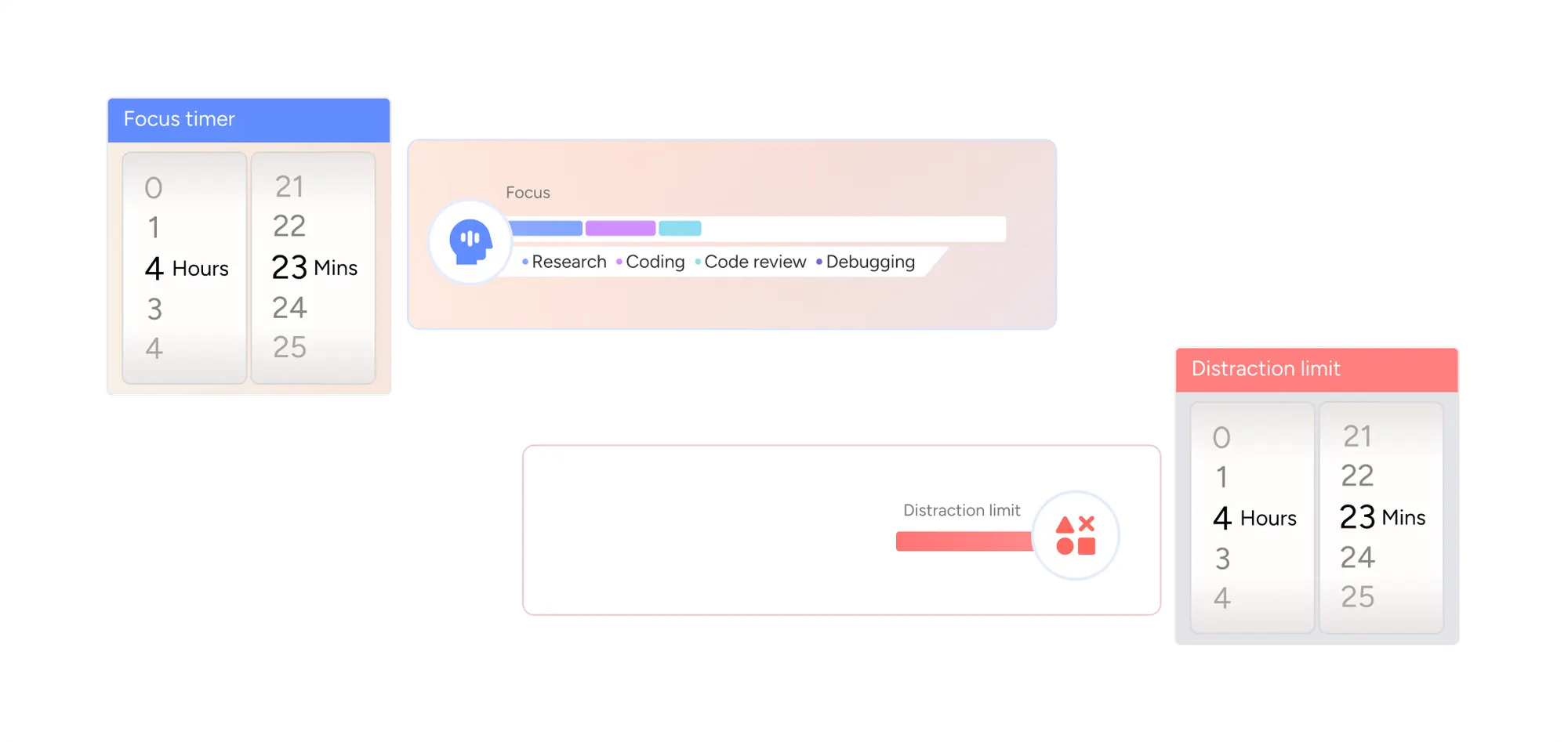
Focus timer, focus breakdown by activity, and distraction-limit controls
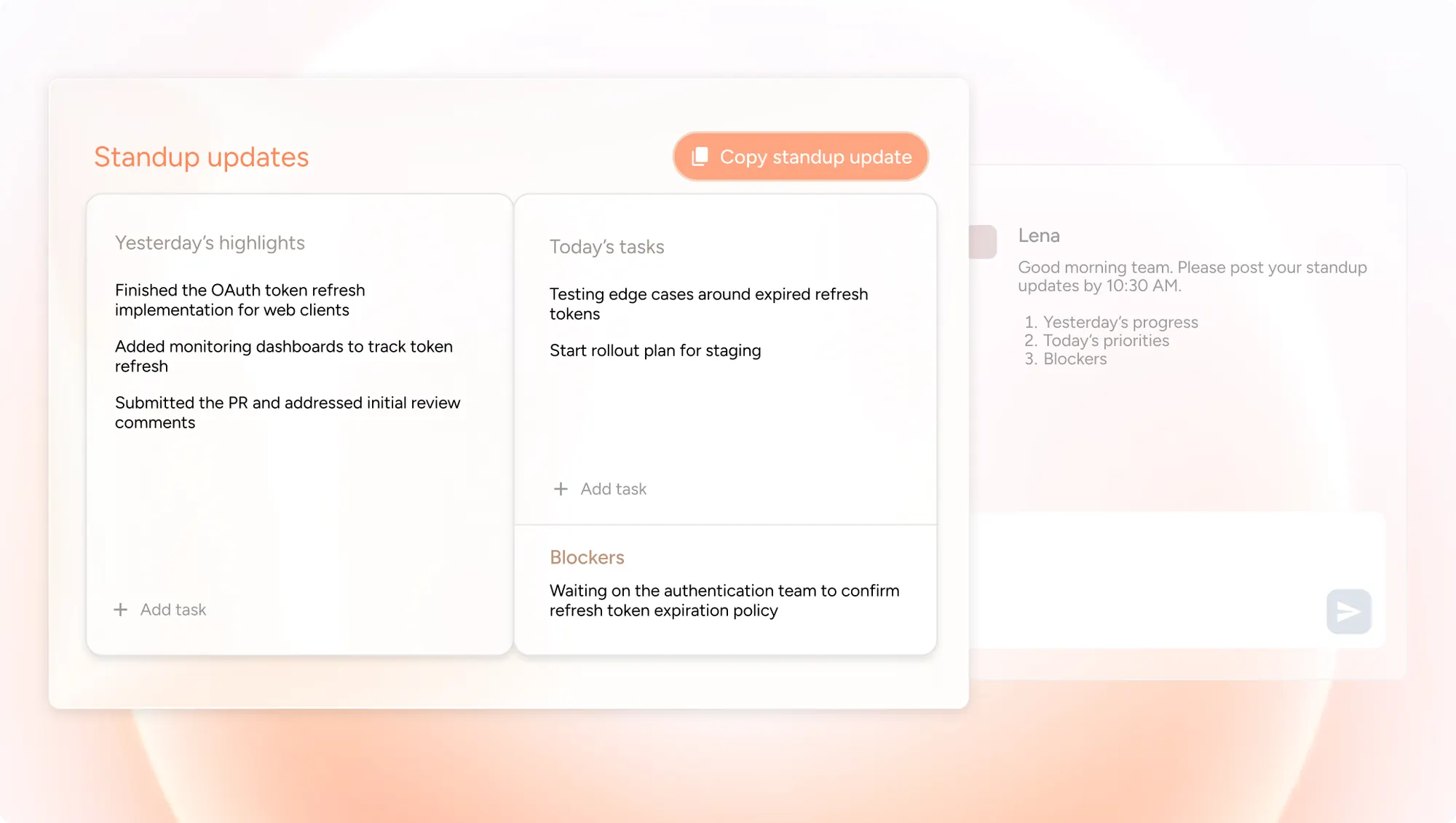
Standup updates board with yesterday's highlights, today's tasks, blockers, and a team chat

Provide updates in one click

Dayflow automatically summarizes your progress so you can instantly write updates without relying on your memory.

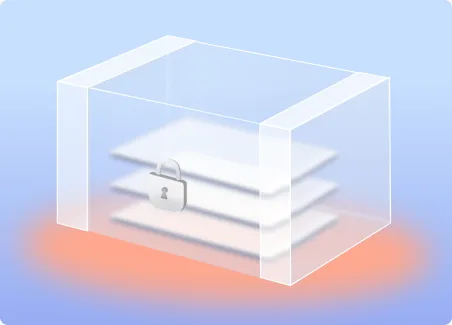
Privacy by default

We care deeply about privacy and designed Dayflow to work securely across both personal and enterprise use cases. Learn more on our Privacy page.

Open source

See and modify the code, build it yourself. Dayflow is open sourced and licensed under the MIT License.

Local storage

All screenshots are stored locally on your machine.

Local AI

Dayflow can be easily configured with local AI with maximum security. Nothing leaves your computer.

Frequently asked questions

Is Dayflow a time tracker?

Dayflow does what people want from an automatic time tracker for Mac: a truthful record of where your time went, with zero manual timers or tags. But instead of charts of app usage, you get a readable story of your day. Think of it as a time tracker that grew into a work journal. It’s free, open source (MIT), and everything stays on your Mac.

How is Dayflow different from other time tracking apps?

Traditional trackers log app names and show you charts. Dayflow understands what you were actually working on - it can tell “researching on YouTube” from “watching cat videos” - and writes your day into a visual timeline with summaries, so you never tag or categorize anything by hand. And it’s free, open source, and everything stays stored on your Mac.

Is my data private? What about the recordings?

Yes. You have full control. In Local Mode (using Ollama/LM Studio), your data never leaves your device. If you choose Gemini or ChatGPT/Claude, data is sent to the respective providers for analysis, but you can configure privacy settings. Recordings and databases are always stored locally on your Mac. Dayflow is open-source (MIT license), so you can verify exactly how your data is handled.

Will it slow down my computer?

The recording process is extremely lightweight (around 100MB RAM, under 1% CPU). If you use Cloud AI (Gemini/ChatGPT/Claude), the impact remains minimal. Local AI inference is more demanding on your GPU and battery, so we recommend plugging in during long sessions if you go fully offline.

Who is Dayflow for?

It’s for developers, freelancers, and knowledge workers who want a truthful, automated log of their day. If you want to own your data and stop guessing where your time went, Dayflow is for you.

Can I pause or disable recording?

Absolutely. You can start/stop recording instantly from the menu bar. You can also automate it using Shortcuts (via deeplinks). You have full access to delete recordings and data from your local folder at any time.

How accurate is the AI at understanding my work?

It depends on the model you choose. Gemini and ChatGPT/Claude generally offer the highest accuracy and narrative quality. Local models are improving rapidly but may be slightly less detailed. You can switch providers at any time to find the best balance for your needs.

Is there a free version?

Dayflow is free and open-source (MIT Licensed). You can use it for free with Local models or Gemini’s free tier. Using ChatGPT or Claude requires their respective paid subscriptions (Plus/Pro) to access the API via CLI.

What platforms are supported?

Dayflow is a native macOS app built with SwiftUI. It requires macOS 14 (Sonoma) or later.